Our experts are always on hand to help answer your questions, get you started, and grow your presence online. You can email us any time
How to change the PHP version of your onion service
- Knowledgebase
How to change the PHP version of your onion service
The portal can move your service between PHP 7.4, 8.2 and 8.3. Only the runtime changes — your files, databases and onion address stay exactly where they are.
Step 1 — Open the PHP Version tab
In the Customer Portal, open your onion service and click "PHP Version". The current version is shown at the top, and the form below lists the versions your service can run.
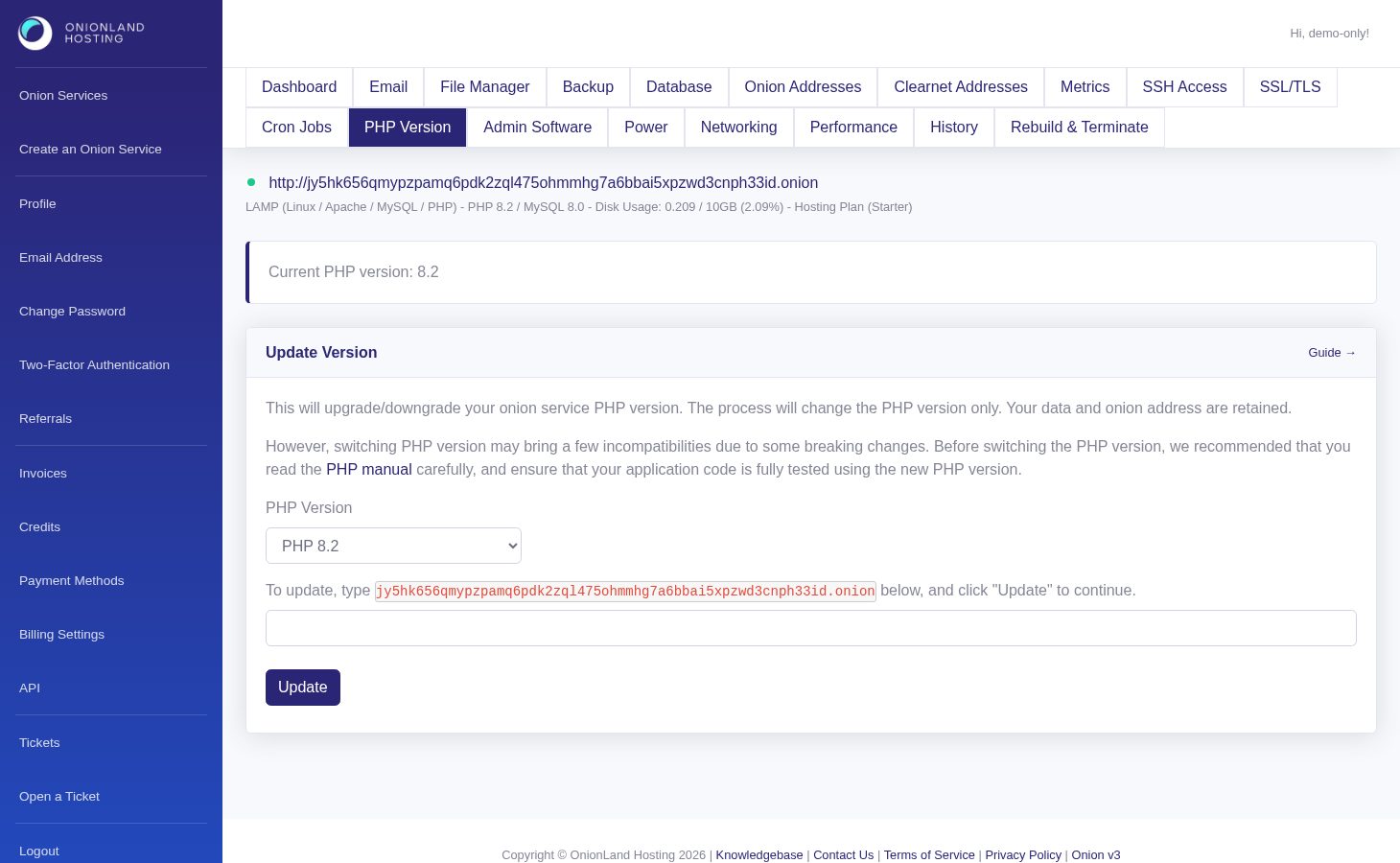
Step 2 — Pick the version and confirm
Choose the target version, type your onion address into the confirmation field, and click Update. The address has to match exactly; the portal answers "The address you typed is not correct." if it does not.
Step 3 — Read the response
On success the page reloads with a green message: "The PHP version is updating. You may check the history page to see the latest status." Selecting the version that is already running returns "The PHP version does not change." instead.
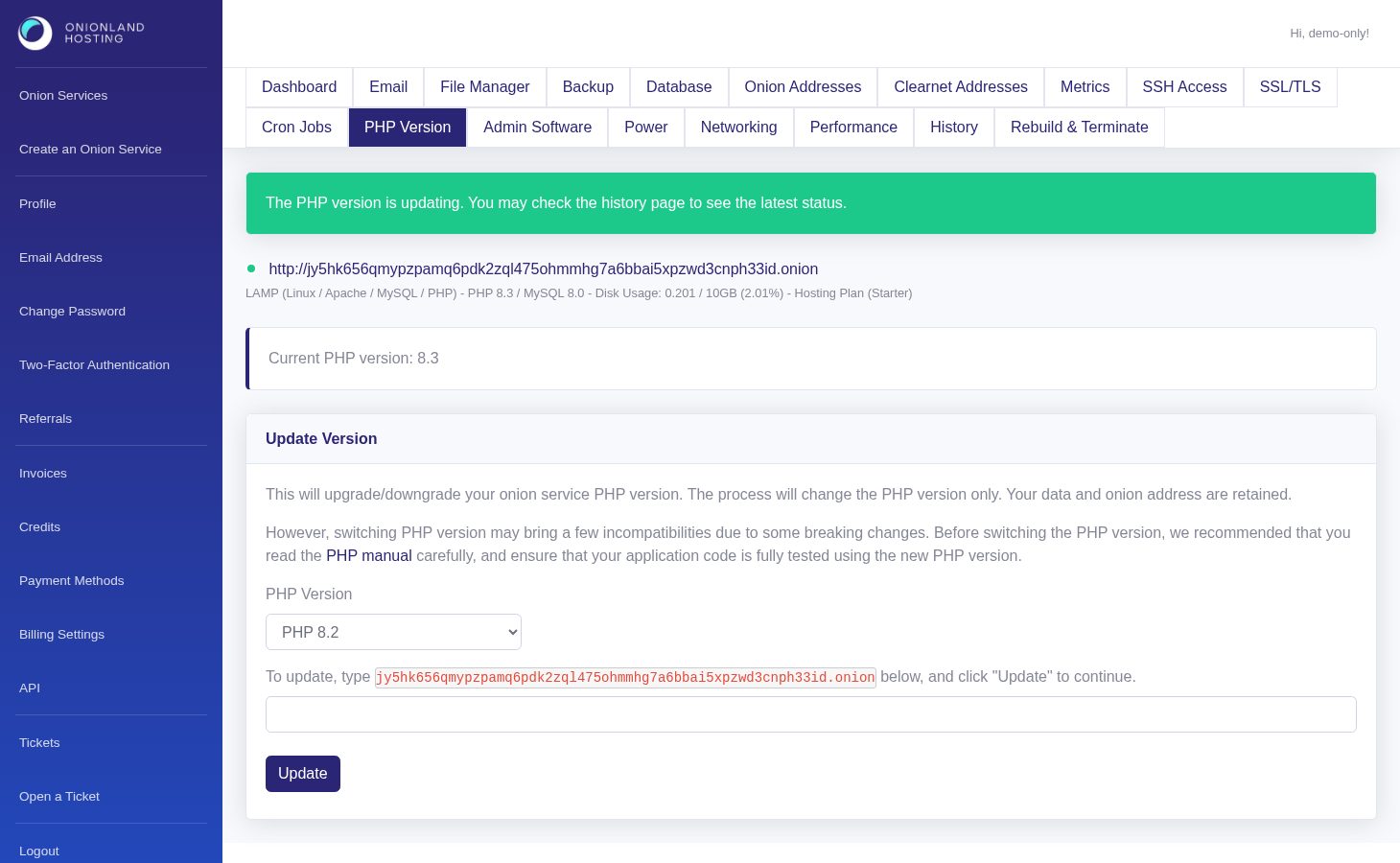
The green message appears straight away, while the Current PHP version line and the service header still show the old version until the container has restarted. Reload the page once the status settles — the line then reads the new version.
Check the site afterwards: a plugin or an extension that does not support the new version will show up as a fatal error, and the History tab records the change so you can see when it happened.
Related articles
- How to read your onion service dashboard
- How to check the history of your onion service
- How to secure the admin services of your onion service
Tags:
- Onion Service
- Customer Portal
- PHP