Our experts are always on hand to help answer your questions, get you started, and grow your presence online. You can email us any time
How to view and download your invoices
- Knowledgebase
How to view and download your invoices
Charges are itemised once a month, per service. The Invoices page keeps one entry per billing period and hands you a PDF you can save or print.
Step 1 — Open the Invoices page
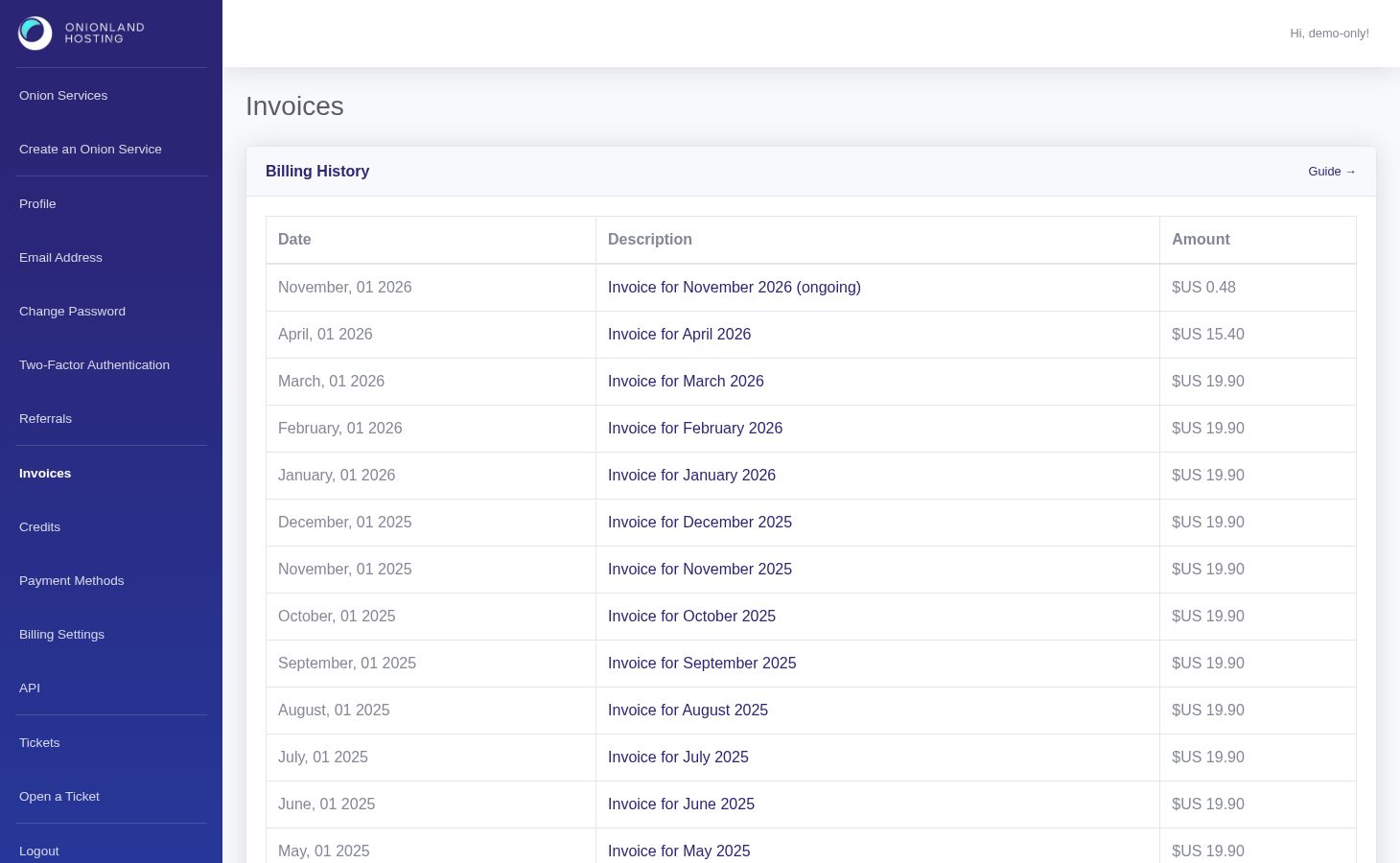
In the Customer Portal, click "Invoices" in the sidebar. Billing History lists one row per month: the date, a link named after the period, and the amount. The current month is marked (ongoing) and grows until the period closes.
Step 2 — Open the invoice
Click the link. The invoice opens as a PDF in a new tab, so you can read it, save it, or send it to a printer without leaving the portal.
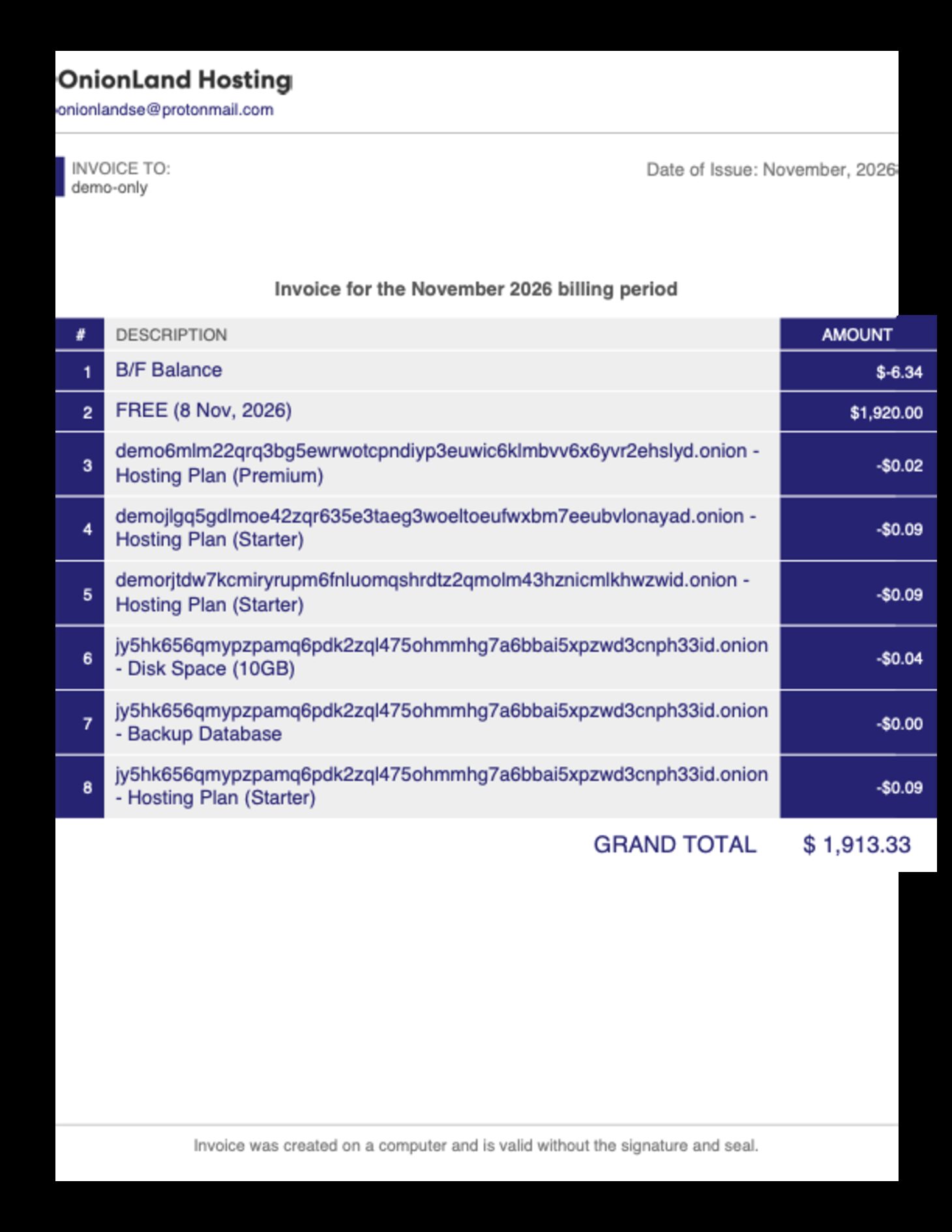
The document has three parts:
- Invoice to — the name and billing address of your account (change it on the Billing Settings page).
- Line items — one row per billable thing, using the onion address as the identifier and the item name after the dash: the hosting plan, extra disk space, backups, a Tor relay, clearnet or onion addresses. A B/F Balance row carries what was left over from the previous period.
- Grand total — the sum of the rows for that month.
Amounts are drawn from your account credit, so an invoice is a statement of what was consumed, not a request for a fresh payment. If the grand total looks wrong, open the History tab of the service concerned first — resizes, disk changes and add-ons are all recorded there with their time.
Related articles
Tags:
- Customer Portal
- Billing
- Invoices