Our experts are always on hand to help answer your questions, get you started, and grow your presence online. You can email us any time
How to enable outbound traffic for your onion service
- Knowledgebase
How to enable outbound traffic for your onion service
By default your onion service can receive requests but cannot call anything outside itself. That blocks the usual attack surface of a compromised site, and it also blocks any feature that needs to reach a third-party API — a payment gateway, a price feed, an external webhook. The portal can lift the restriction with an extra Tor relay.
Step 1 — Open the Networking tab
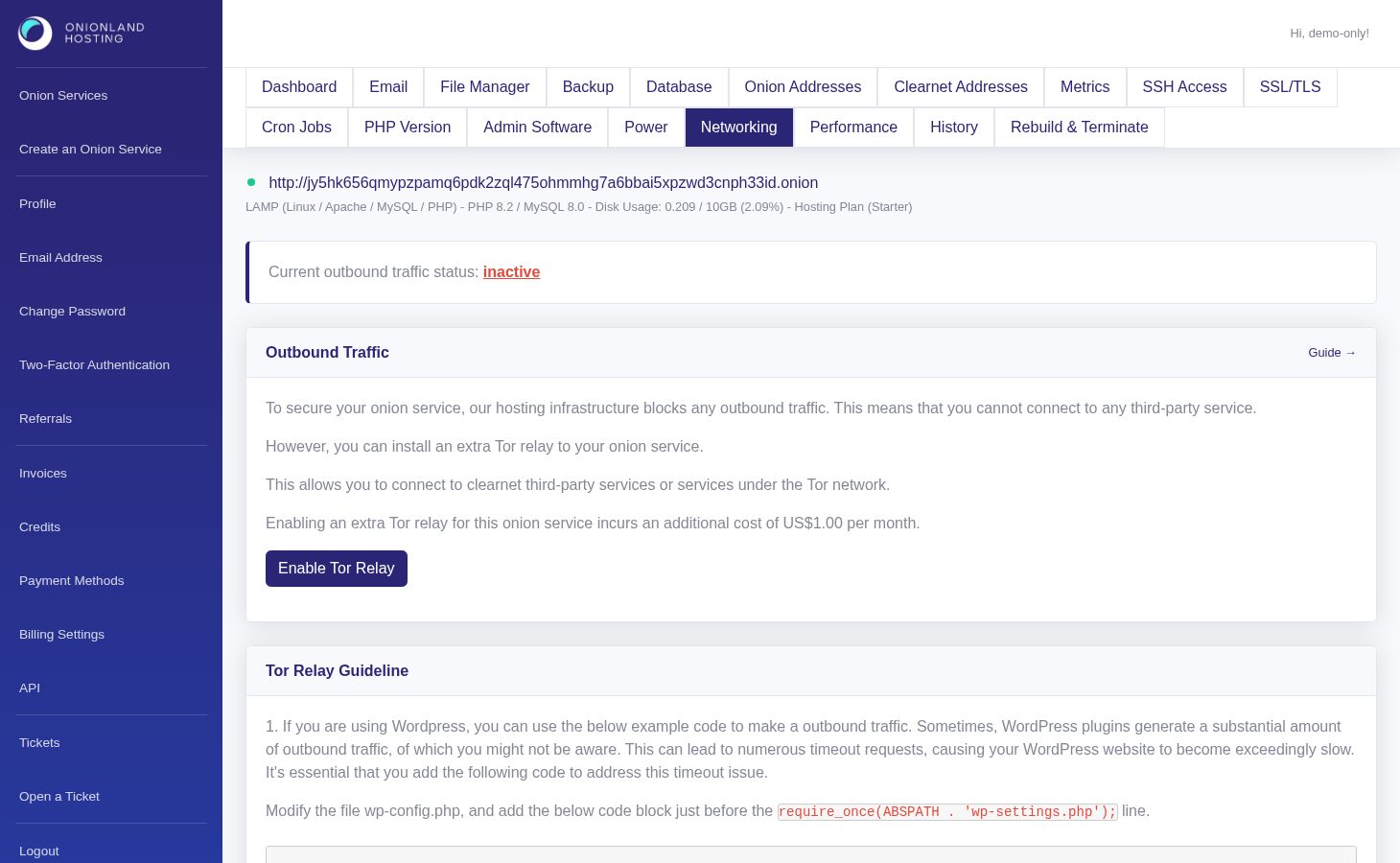
In the Customer Portal, open your onion service and click "Networking". The status line reads Current outbound traffic status: inactive until the relay is enabled. Enabling it adds US$1.00 per month.
Step 2 — Enable the relay
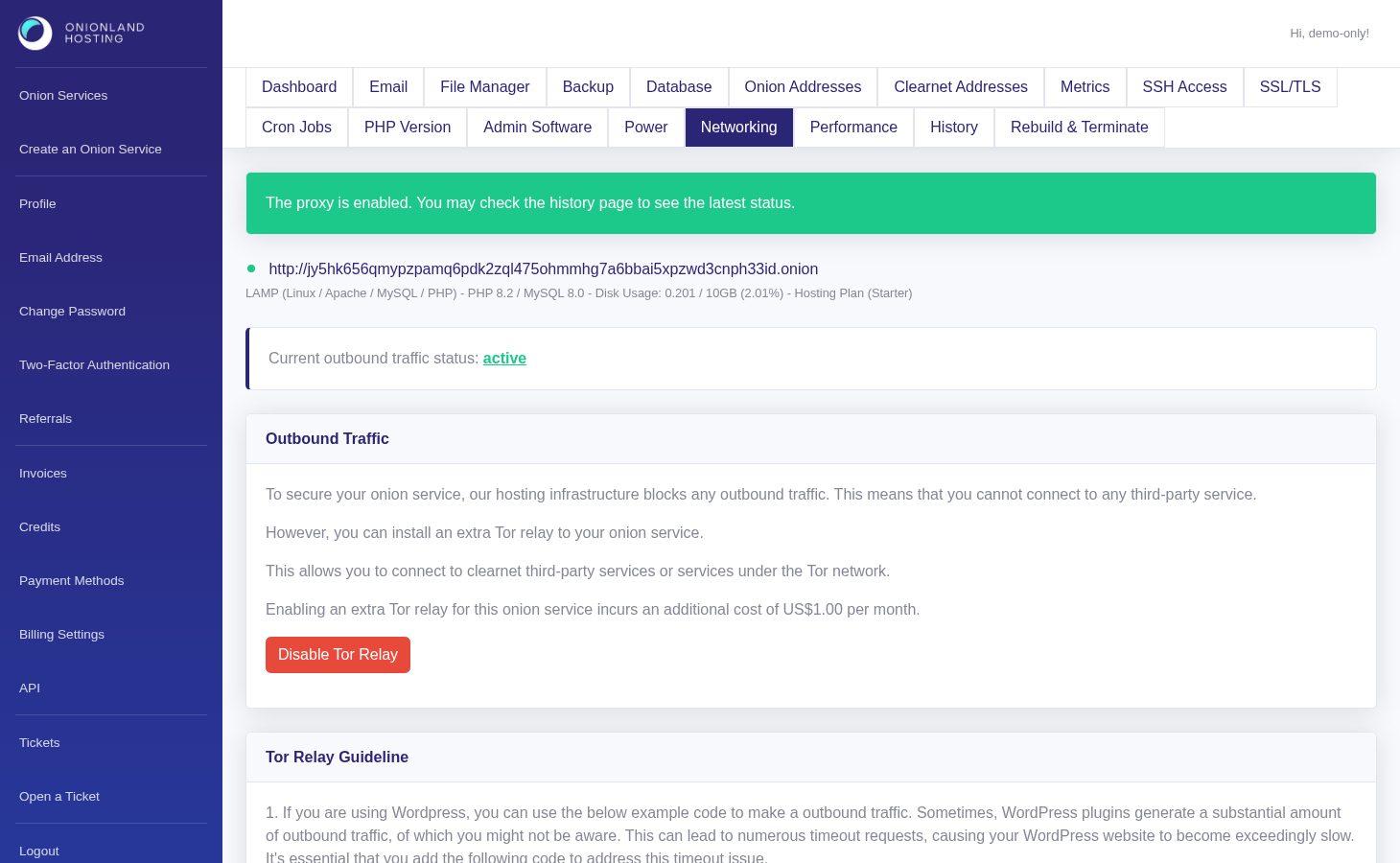
Click Enable Tor Relay. The page reloads with a green message: "The proxy is enabled. You may check the history page to see the latest status." The status line then reads active and the button becomes "Disable Tor Relay".
The relay runs inside your service and is used only for outgoing connections — it does not publish anything of yours on the Tor network, and it needs no port of its own.
Step 3 — Point your application at the proxy
Your code must use it explicitly: the proxy listens on proxy:9050 and speaks SOCKS5. For WordPress add this block to wp-config.php, just before the require_once(ABSPATH . 'wp-settings.php'); line — the bypass list keeps WordPress from proxying its own address:
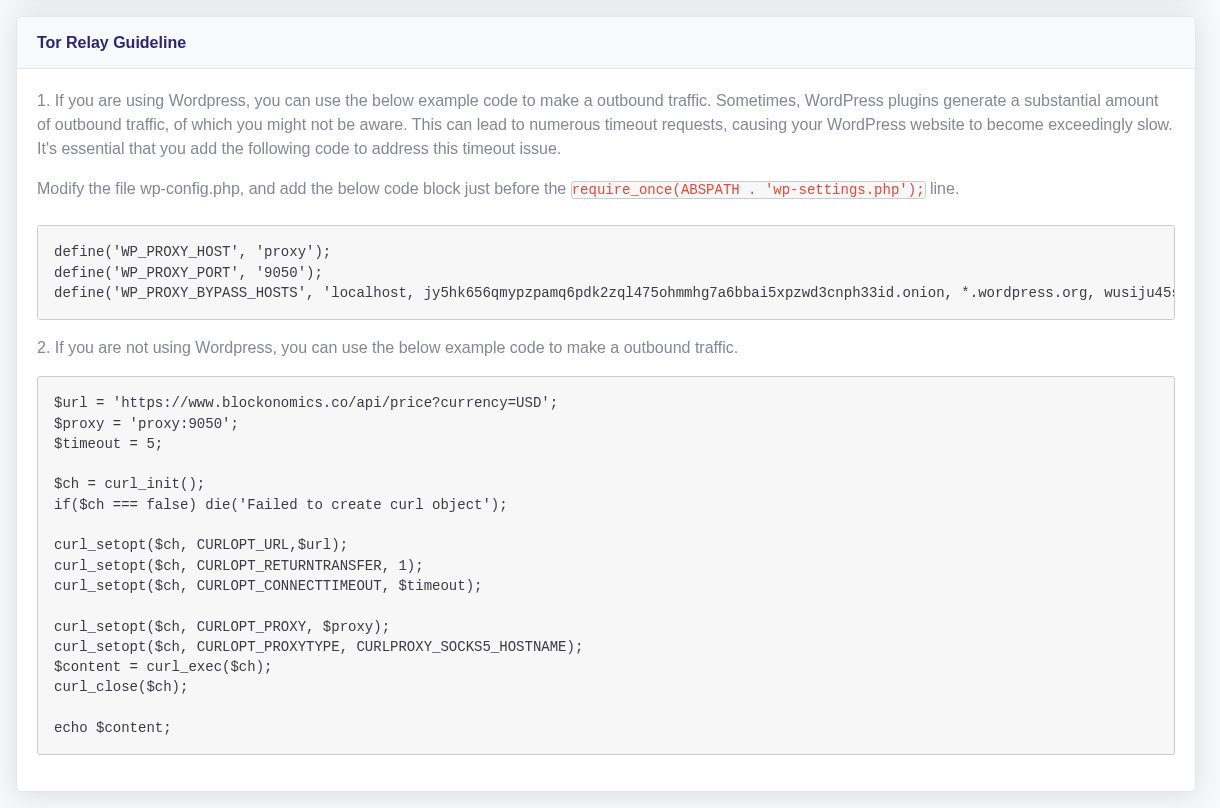
Any other PHP code can do the same with curl: set CURLOPT_PROXY to proxy:9050 and CURLOPT_PROXYTYPE to CURLPROXY_SOCKS5_HOSTNAME. Without those two lines the request still fails, even with the relay enabled.
Step 4 — Test, then switch it off when you no longer need it
A failing outbound call is easy to tell apart from a blocked one: with the relay disabled the connection is refused immediately, with it enabled you get an HTTP status or a proxy error. Once the integration works, disable the relay again if you do not need it permanently — the add-on is billed monthly.
Related articles
Tags:
- Onion Service
- Customer Portal
- Networking