Our experts are always on hand to help answer your questions, get you started, and grow your presence online. You can email us any time
How to earn referral credits
- Knowledgebase
How to earn referral credits
Every account has a referral link. When somebody signs up through it and pays, a share of that payment is credited to your account as referral credits, which you can move into your normal balance once they reach US$10.
Step 1 — Open the Referrals page
In the Customer Portal, click "Referrals" in the sidebar. The top of the page summarises your referrals: clicks on your link, accounts that converted, and the credits you have earned so far.
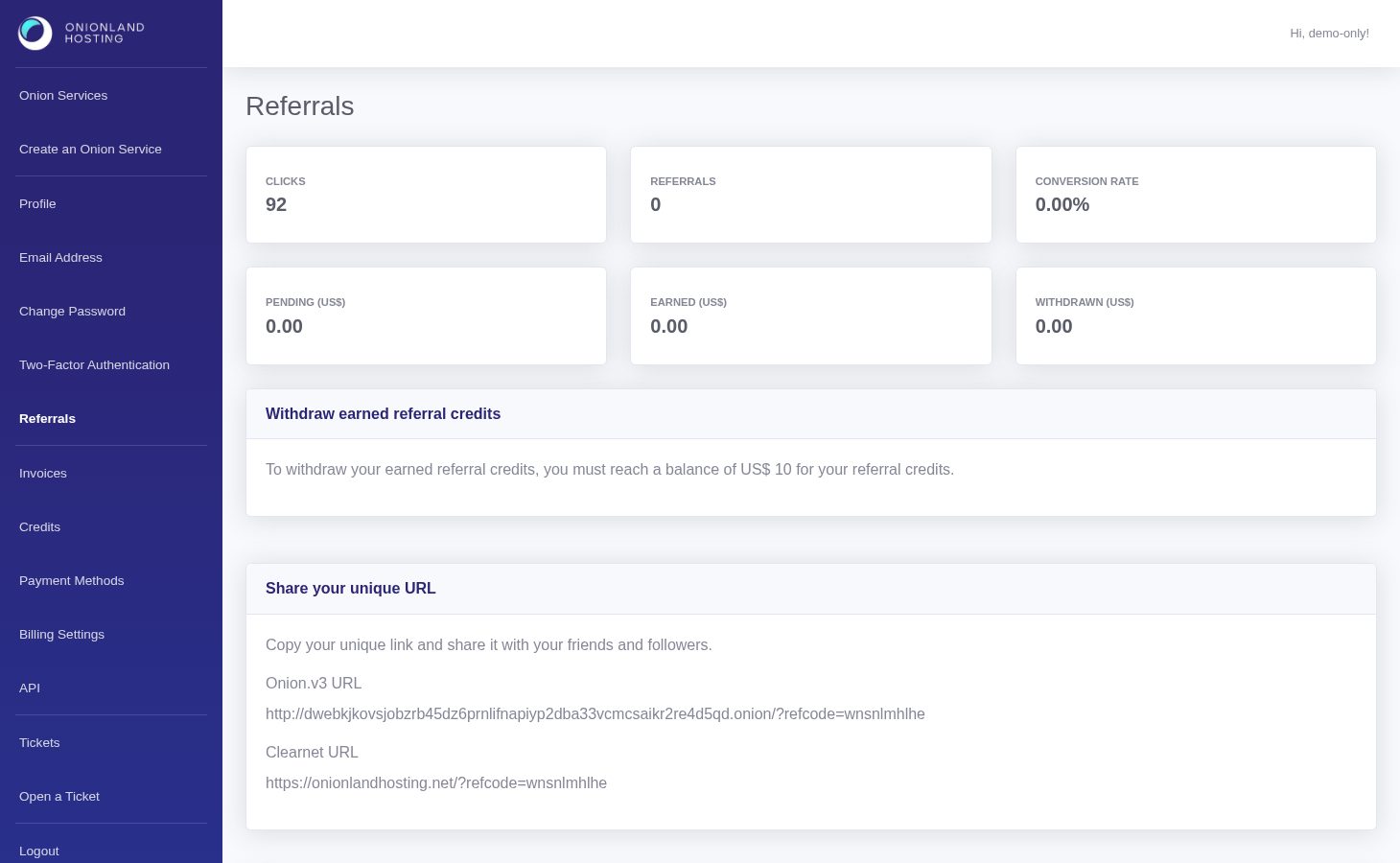
Step 2 — Share your unique URL
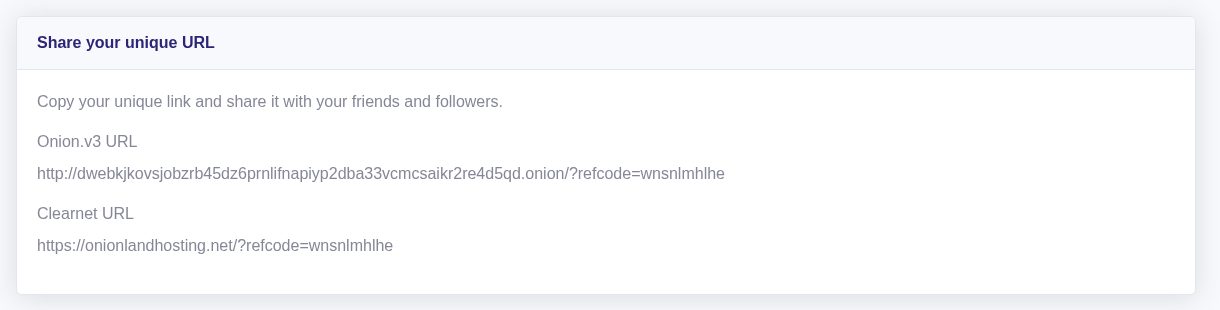
The card Share your unique URL holds your personal link. Copy it and post it wherever your audience is — a forum signature, a directory listing, an onion site of your own. Each visit through that link is counted as a click, and each account that signs up and pays is counted as a conversion.

The page also offers ready-made banners below the link, so you do not have to design anything: copy the HTML of the one you like, or download the image and link it to your URL.
Step 3 — Withdraw the credits
Referral credits accumulate separately from your balance. The card Withdraw earned referral credits moves them across, but only once the total reaches US$10; below that it explains the threshold instead of offering the button.
After the withdrawal the amount appears in your normal balance on the Credits page and is spent like any other credit — it is not paid out in cash.
Step 4 — Keep it honest
Self-referrals and fake sign-ups are detected and removed together with the credits they generated. A referral only counts once the account it produced has actually paid for a service.
Related articles
- How to check your account balance and payment history
- How to top up your account with a credit or debit card
Tags:
- Customer Portal
- Account
- Billing