Our experts are always on hand to help answer your questions, get you started, and grow your presence online. You can email us any time
How to create an onion address alias for your onion service
- Knowledgebase
How to create an onion address alias for your onion service
An alias is an extra onion address that opens the same website. You can use it for a second project, a mirror you want to keep separate, or to migrate visitors away from an address you are about to retire. Each alias costs an additional US$1.00 per month.
Step 1 — Open the Onion Addresses tab
In the Customer Portal, open your onion service and click "Onion Addresses". Your current address is listed with a Main badge; aliases appear below it. Every row has Manage and Download Keys actions.
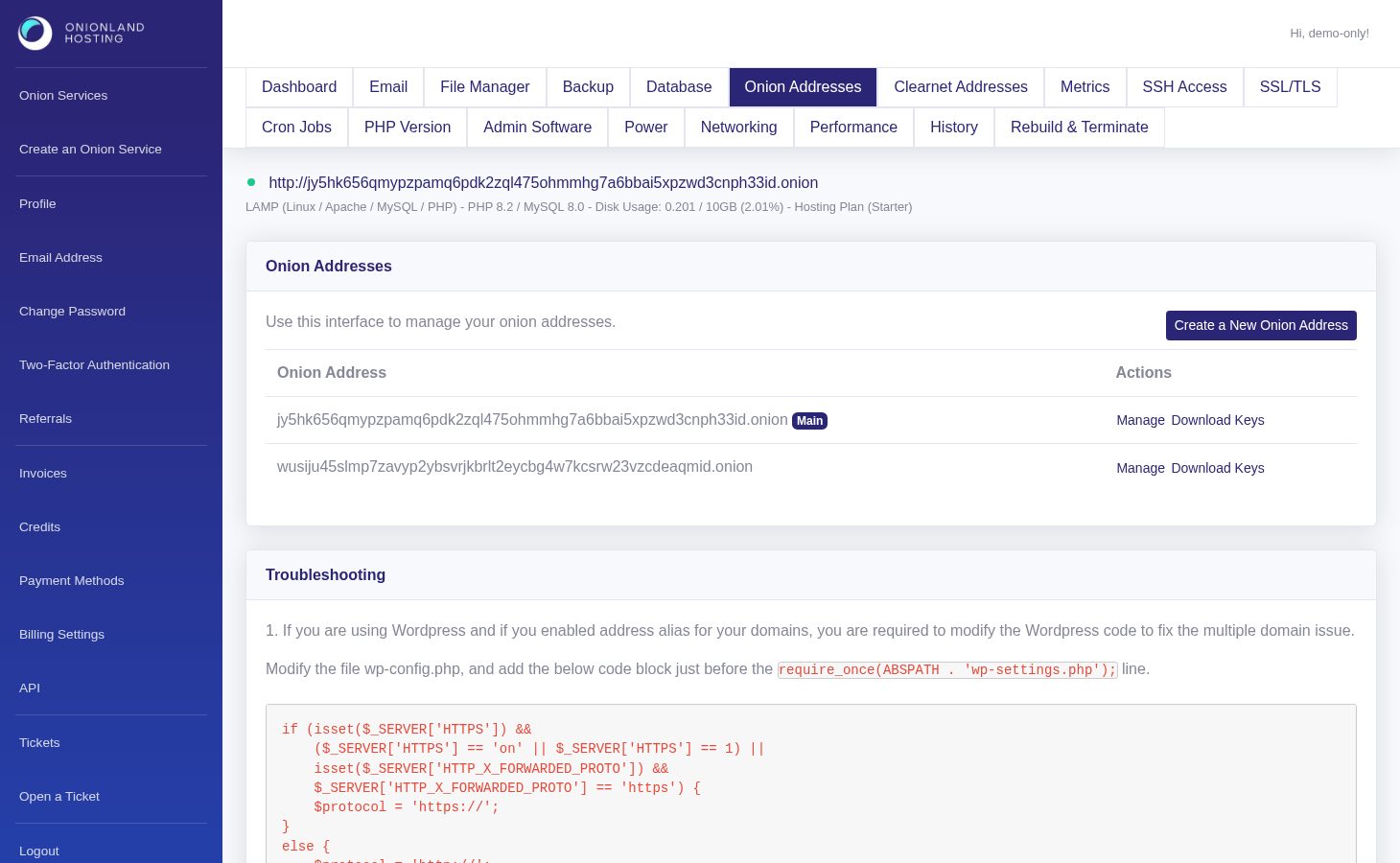
Step 2 — Choose how the address is generated
Click Create a New Onion Address. There are three options: generate a random address with an optional vanity prefix of up to four characters (a-z and 2-7), upload an existing hs_ed25519_public_key and hs_ed25519_secret_key pair, or paste the same keys as base64 or hex. Leaving the vanity field empty is the fastest — a prefixed address has to be searched for, and every extra character multiplies the waiting time.
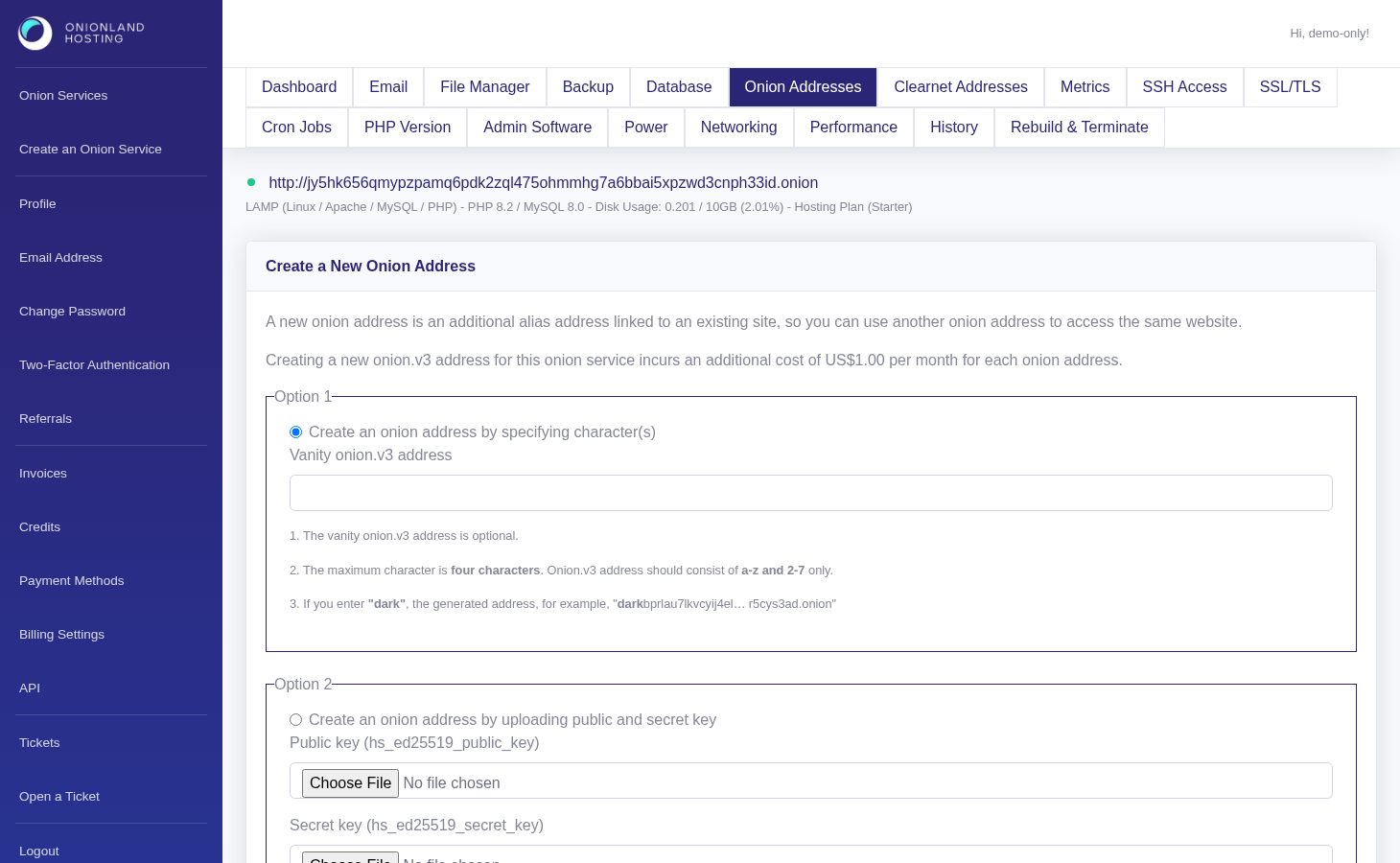
Step 3 — Submit and read the response
Click Create a New Onion Address at the bottom of the form. The portal returns to the list with a green message: "The Alias V3 address is adding. You may check the history page to see the latest status."
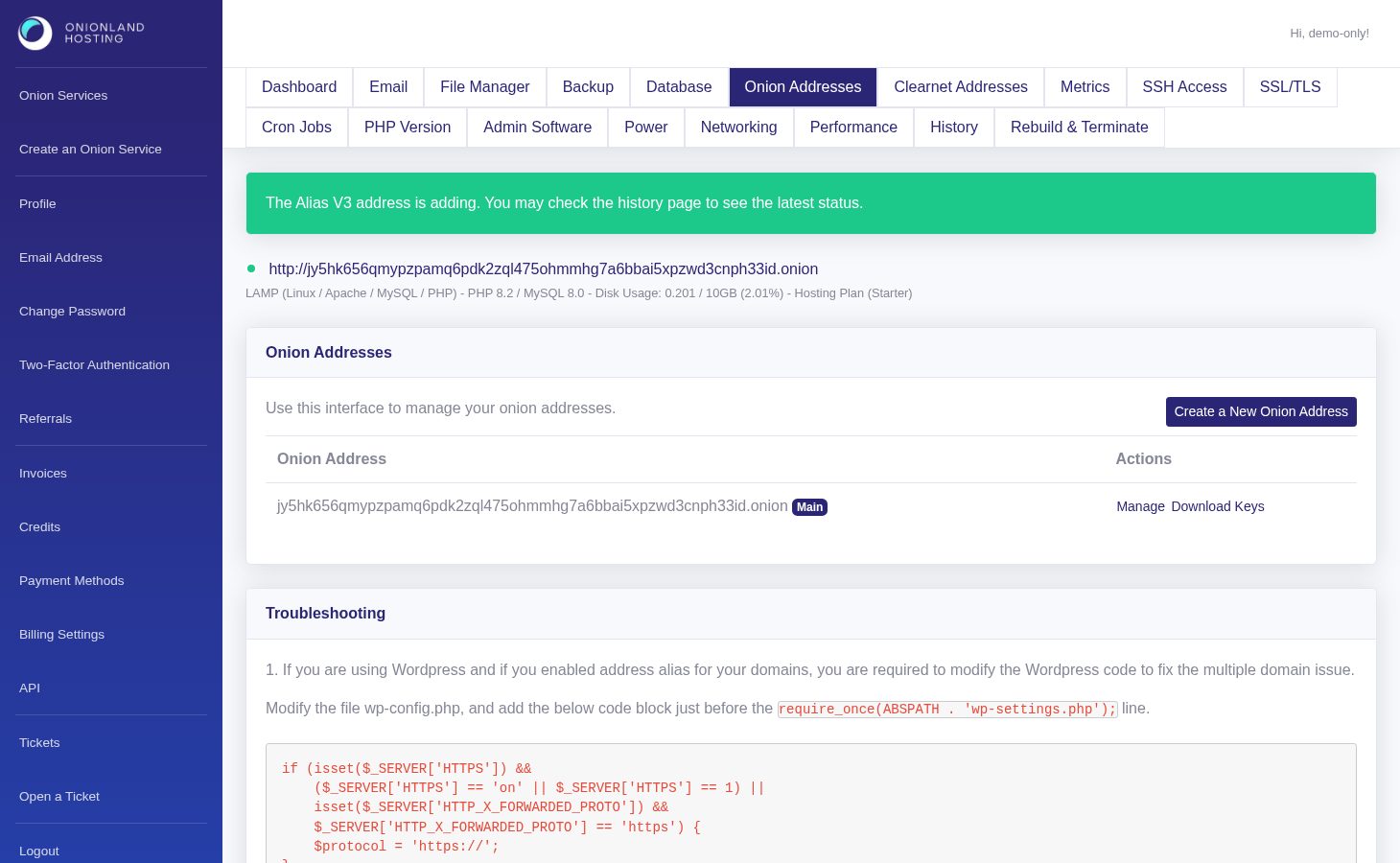
The address is generated by the host, so it appears in the table a moment later, below the main address. Reload the page until it shows up.
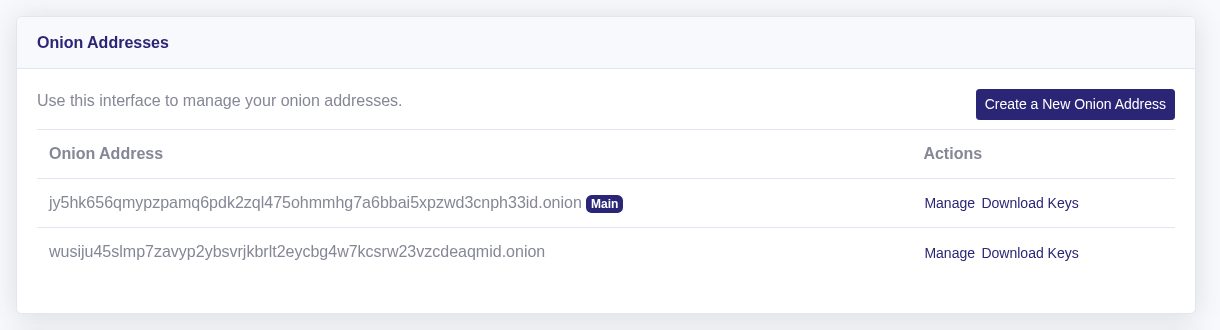
Step 4 — Point the alias at the same site
Both addresses serve the same document root, so nothing has to be uploaded. If you run WordPress, apply the WP_SITEURL/WP_HOME block printed at the bottom of the Onion Addresses tab — without it WordPress redirects the alias back to the main address. Use Manage on the alias row to terminate it again when you no longer need it.
Related articles
- How to change the main onion address of your onion service
- How to bind a clearnet domain to your onion service
Tags:
- Onion Service
- Customer Portal
- Onion Address