Our experts are always on hand to help answer your questions, get you started, and grow your presence online. You can email us any time
How to change the main onion address of your onion service
- Knowledgebase
How to change the main onion address of your onion service
The main address is the one printed at the top of every page of the portal and written into the service configuration. You can replace it with a newly generated address — but the old one stops working, so read the caution before you submit.
Step 1 — Open Manage on the main address
In the Customer Portal, open your onion service, click "Onion Addresses" and press Manage on the row that carries the Main badge. The page lists the same three generation options as the alias form.
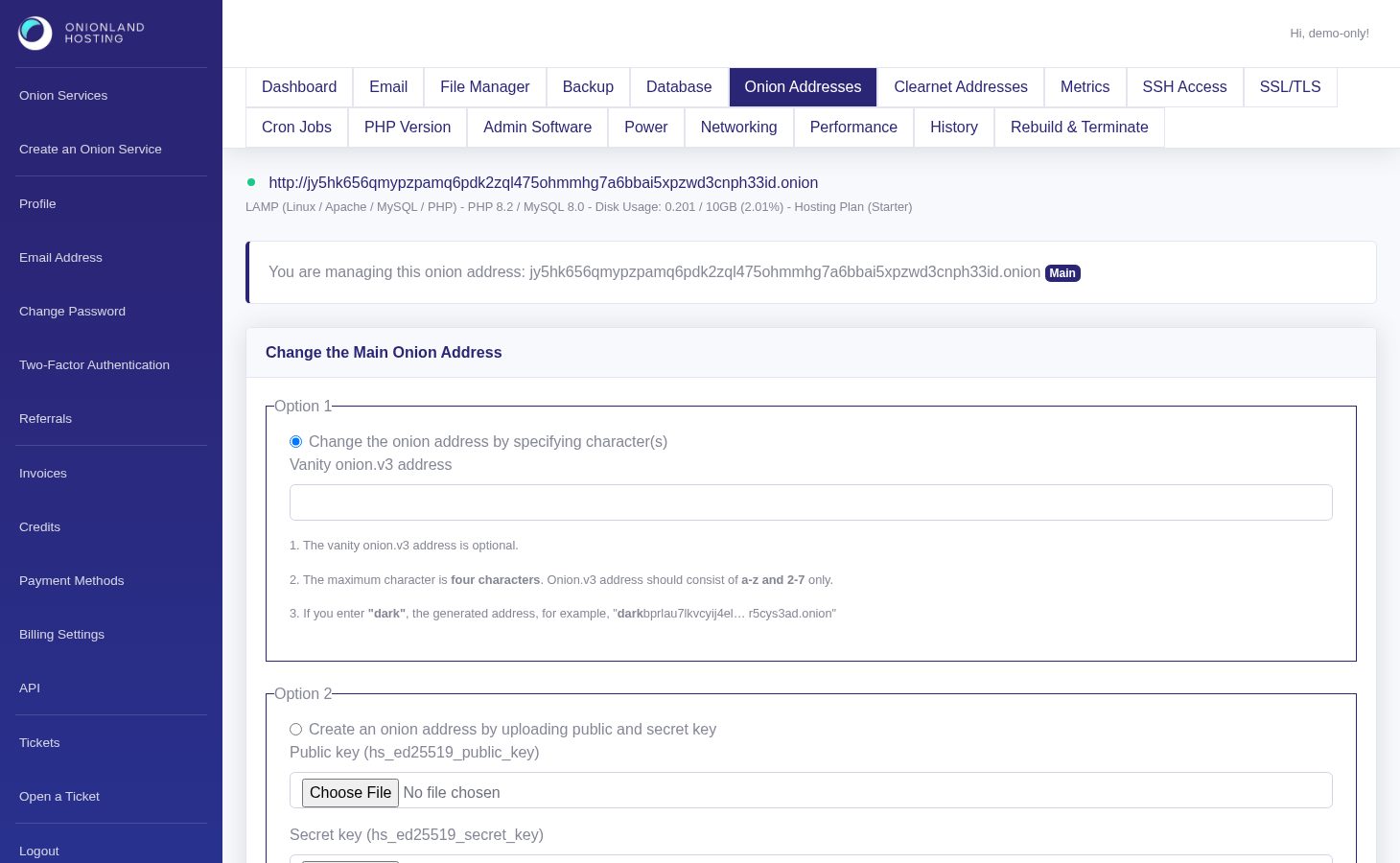
Step 2 — Read the caution and confirm
Below the options the form repeats the risk in red and asks you to retype the current address. The change is not reversible: once the new address is generated, the old one no longer resolves to your service, and anything that points at it — bookmarks, links, a clearnet binding that proxies to it — has to be updated.

A wrong or partial address is refused with "Your input does not match to onion service URL." and nothing changes.

Step 3 — What happens after you submit
Click Change Onion Address. The portal answers "The V3 address is updating. You may check the history page to see the latest status." and the service is rebuilt around the new address; the History tab shows the job and how long it took.
If you only need a second address and want to keep the current one, create an alias instead — that adds an address without touching the main one.
Related articles
- How to create an onion address alias for your onion service
- How to check the history of your onion service
Tags:
- Onion Service
- Customer Portal
- Onion Address