Our experts are always on hand to help answer your questions, get you started, and grow your presence online. You can email us any time
How to bind a clearnet domain to your onion service
- Knowledgebase
How to bind a clearnet domain to your onion service
Your onion service is only reachable through Tor. Binding a clearnet domain puts a normal web address in front of the same site, so visitors without Tor Browser can open it. Each clearnet address costs an additional US$1.00 per month.
Step 1 — Open the Clearnet Addresses tab
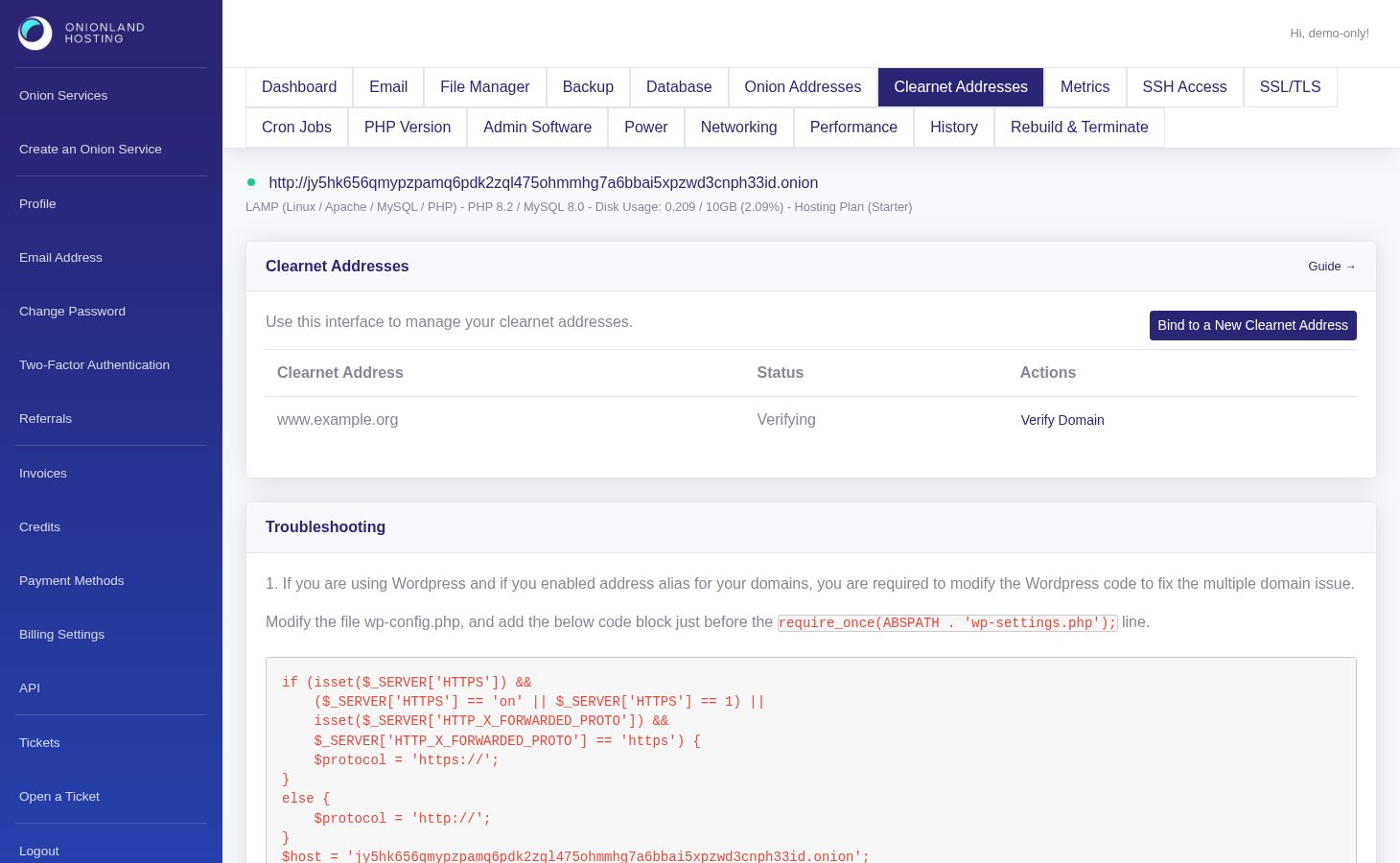
In the Customer Portal, open your onion service and click "Clearnet Addresses". The table lists the domains already bound to this service and their status; the button in the corner starts a new binding.
Step 2 — Enter the domain you own
You need a domain registered in your name and access to its DNS. Type the full hostname: www.example.com if you want the www subdomain, or example.com for the bare domain. One binding covers one hostname — bind twice if you need both.
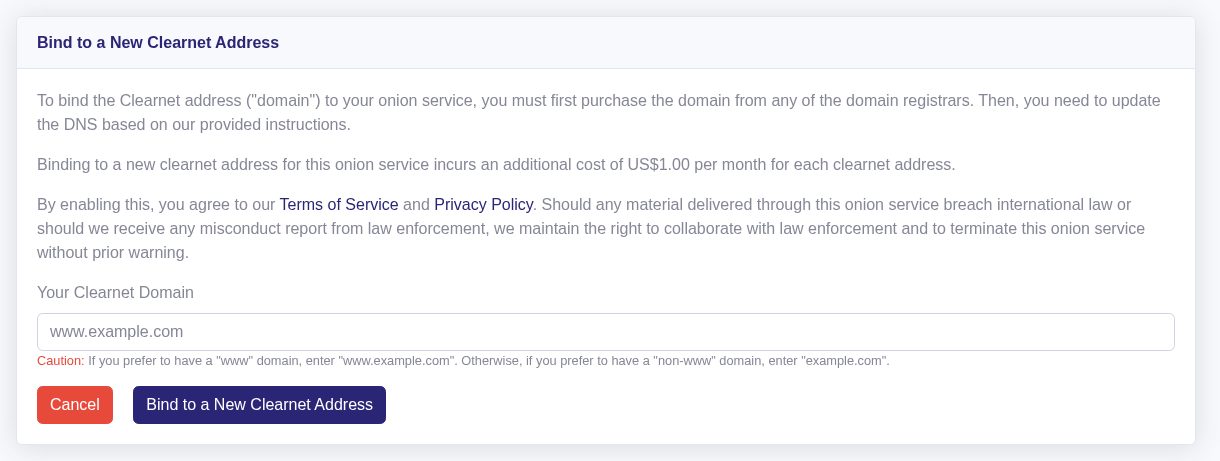
Step 3 — Create the DNS record
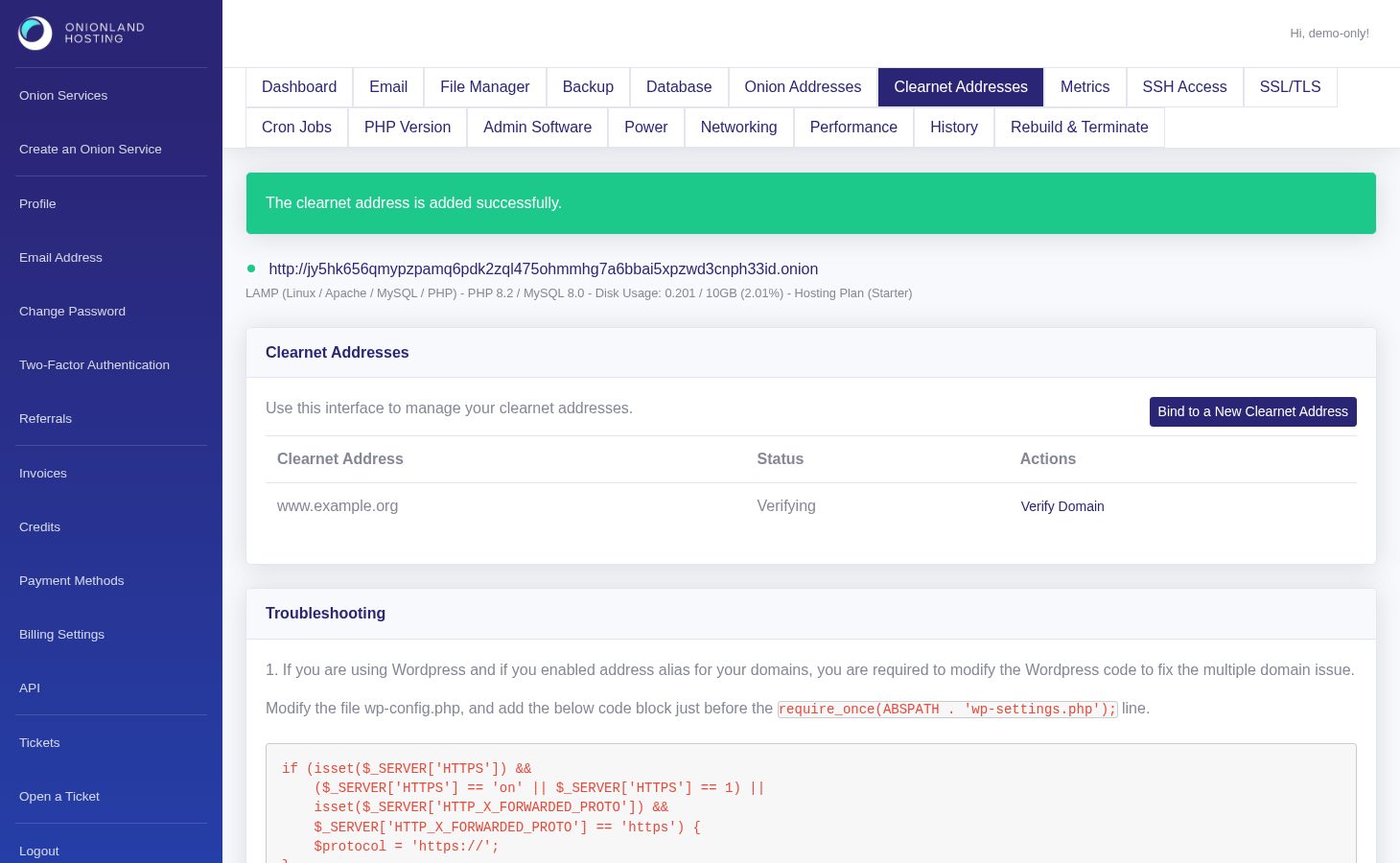
Click Bind to a New Clearnet Address. The portal returns to the list with a green message: "The clearnet address is added successfully." The new row is in status Verifying until the DNS record exists.
Click Verify Domain on that row to see the A record you have to create. Point the hostname at the IP address shown, then click Verify DNS record.
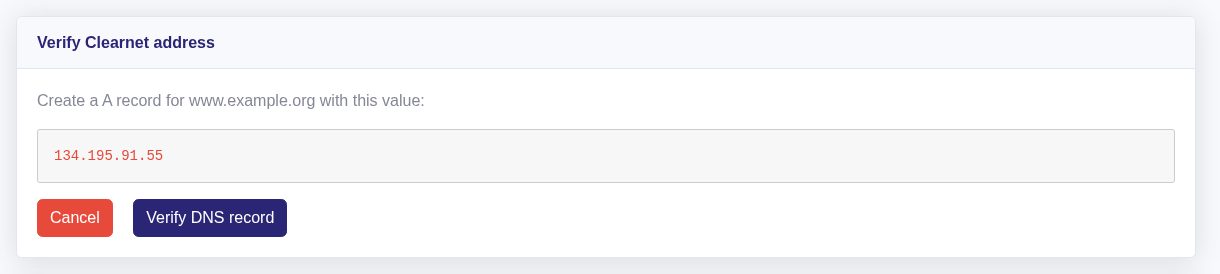
DNS changes can take a while to reach every resolver. If the check fails, wait and press Verify DNS record again — nothing else is lost.
Step 4 — Turn on HTTPS
When the row reads Activated, the Manage page offers SSL/TLS for that domain: AutoSSL (free and renewed automatically) or your own certificate and private key in the PEM format. If you run WordPress on an aliased domain, also apply the WP_SITEURL fix printed at the bottom of the Clearnet Addresses tab, otherwise WordPress redirects visitors back to the onion address.
Related articles
- How to enable SSL/TLS on your onion service
- How to create an onion address alias for your onion service
Tags:
- Onion Service
- Customer Portal
- Clearnet